ရိုးရိုးလေး ရှင်းပြမယ်
ရိုးရိုးလေး ရှင်းရရင်
စာကြည့်တိုက် catalogue ကို စဉ်းစားကြည့်ပါ။ /books ဆိုတဲ့ ဗီရိုမှာ စာအုပ်အားလုံး ရှိပြီး /books/42 က စာအုပ် နံပါတ် 42 ပါ။ စာအုပ်ကို ကြည့်ချင်ရင်၊ အသစ်ထည့်ချင်ရင်၊ ပြင်ချင်ရင်၊ ဖယ်ချင်ရင် နေရာ (URL) က တူတူပဲ ဖြစ်ပြီး လုပ်မယ့် အလုပ် (HTTP method) ပဲ ပြောင်းပါတယ်။
REST API က ဒီ စည်းမျဉ်းကို လိုက်နာပါတယ် — URL က နာမ် (resource)၊ GET, POST, PATCH, DELETE က ကြိယာ ဖြစ်ပြီး status code က ရလဒ်ကို ပြောပါတယ်။ ဒီ lesson မှာ အဲဒီ API ကို ခေါ်တဲ့ Python client ကို သေသေသပ်သပ် ရေးပါမယ်။
Problem → Why → Solution
ပြဿနာ: နေရာတိုင်းမှာ request ကို ကိုယ်တိုင် ဆောက်တာ
Project အစမှာ API ခေါ်တဲ့ function တွေကို လိုသလို ရေးသွားကြပါတယ်။ အောက်က code မှာ delete_todo() က Authorization header ကို မေ့ထားပြီး body မပါတဲ့ 204 response ကို .json() ခေါ်လို့ crash ပါတယ်။ safe_call() ကတော့ exception အားလုံးကို {"error": ...} dict အဖြစ် ပြောင်းလိုက်လို့ caller က "todo မရှိ"၊ "server ပျက်"၊ "code ထဲ typo" တို့ကို ခွဲမသိနိုင်တော့ပါဘူး။
def get_todo(todo_id):
    r = requests.get(f"{BASE}/todos/{todo_id}", headers={"Authorization": KEY})
    return r.json()

def delete_todo(todo_id):
    r = requests.delete(BASE + "/todos/" + str(todo_id))  # auth header forgotten
    return r.json()                                       # 204 has no body: crash

def safe_call(fn, *args):
    try:
        return fn(*args)
    except Exception as e:          # 404, timeouts and typos all look the same
        return {"error": str(e)}
ဘာကြောင့် ဒီလို ဖြစ်လာတာလဲ
API နဲ့ ချုပ်ဆိုထားတဲ့ contract (base URL, auth, timeout, status ဘယ်လို စစ်မလဲ၊ body မပါတဲ့ response ကို ဘယ်လို ကိုင်မလဲ) ကို နေရာတစ်ခုမှာ မရေးထားဘဲ call site တိုင်းမှာ ကိုယ်တိုင် ပြန်ရေးနေလို့ပါ။ တစ်နေရာမှာ မေ့တာနဲ့ bug ဖြစ်ပြီး ပြင်ချင်ရင်လည်း နေရာအားလုံး လိုက်ရှာရပါတယ်။ Client class တစ်ခုက ဒီ contract ကို တစ်ခါပဲ ရေးပြီး လူတိုင်းကို ပြန်သုံးခိုင်းပါတယ်။
Core concept: resource, method, status နဲ့ client တစ်ခု
REST style API မှာ data တစ်မျိုးချင်းစီကို resource လို့ ခေါ်ပြီး /todos လို အများကိန်း နာမ်နဲ့ collection ကို၊ /todos/2 လို id နဲ့ item တစ်ခုကို ဖော်ပြပါတယ်။ HTTP method တွေက လုပ်ဆောင်ချက်ကို ပြောပြီး server က status code နဲ့ JSON representation ကို ပြန်ပေးပါတယ်။ Request တိုင်းက လိုအပ်တဲ့ အချက်အလက် (auth token အပါအဝင်) အားလုံးကို ကိုယ်တိုင် သယ်လာရပါတယ် — server က client အကြောင်း session state မမှတ်ထားပါဘူး (stateless)။ /v1 လို version ကို URL ထဲ ထည့်ထားတာက API ပြောင်းလဲတဲ့အခါ client ဟောင်းတွေ မပျက်အောင်ပါ။ Filter လုပ်တာ၊ sort လုပ်တာတွေကိုလည်း GET /todos?done=false&sort=-created လို query parameter တွေနဲ့ ပို့လေ့ရှိပြီး path ကတော့ resource ကိုပဲ ဖော်ပြပါတယ်။
| လုပ်ဆောင်ချက် | Method နဲ့ path | အောင်မြင်ရင် status |
|---|---|---|
| အားလုံး ကြည့် | GET /todos?page=1&limit=20 | 200 OK |
| တစ်ခု ကြည့် | GET /todos/2 | 200 OK (မရှိရင် 404) |
| အသစ် ဖန်တီး | POST /todos | 201 Created |
| Field တချို့ ပြင် | PATCH /todos/2 | 200 OK |
| ဖျက် | DELETE /todos/2 | 204 No Content (body မပါ) |
Error status တွေကလည်း အဓိပ္ပာယ် တိကျပါတယ် — 400/422 က ပို့တဲ့ data မမှန်၊ 401 က login မဝင်ရသေး (token မှား)၊ 403 က login ဝင်ပြီးပေမယ့် ခွင့်မရှိ၊ 404 က resource မရှိ၊ 409 က လက်ရှိ state နဲ့ ပဋိပက္ခ (ဥပမာ နာမည်တူ ရှိပြီးသား) ကို ဆိုလိုပါတယ်။
Client ကောင်းတစ်ခုမှာ အပိုင်းသုံးပိုင်း ရှိပါတယ်။ ပထမ — Session ကို constructor ကနေ လက်ခံပါ (dependency injection)၊ ဒါမှ production မှာ requests.Session() ကို၊ test မှာ fake object ကို ပေးလို့ရပါတယ်။ ဒုတိယ — base URL ပေါင်းတာ၊ header ထည့်တာ၊ timeout ပေးတာ၊ raise_for_status() ခေါ်တာ၊ body လွတ်ကို None ပြောင်းတာကို _call() တစ်ခုတည်းထဲ ထားပါ။ တတိယ — public method တစ်ခုစီက API operation တစ်ခုနဲ့ ကိုက်ပြီး ရှင်းလင်းတဲ့ နာမည်ရှိပါစေ။ POST က idempotent မဖြစ်လို့ retry လုပ်ရမယ်ဆိုရင် API က လက်ခံတဲ့ Idempotency-Key header လို နည်းကို သုံးပါ။
- Public method က operation ကို ရွေး
- _call() က URL, header, timeout ထည့်
- raise_for_status() က status စစ်
- JSON ဒါမှမဟုတ် None ပြန်
API ရဲ့ contract ပြောင်းရင် _call() တစ်နေရာတည်းကို ပြင်ရုံပါပဲ။
အထွေထွေ ပုံစံ
class ResourceClient:
    def __init__(self, session, base_url, token, timeout=5):
        ...  # store them; build the auth header once

    def _call(self, method, path, body=None):
        resp = self.session.request(method, self.base_url + path, headers=...,
                                    timeout=self.timeout, json=body)
        resp.raise_for_status()
        return resp.json() if resp.content else None

    def operation_name(self, item_id):
        return self._call("VERB", f"/resources/{item_id}")
Request အသေးစိတ်အားလုံးက _call() ထဲမှာပဲ ရှိပြီး public method တွေက verb နဲ့ path ကိုပဲ ရွေးပါတယ်။ resp.content ကို စစ်တာက 204 လို body မပါတဲ့ response တွေမှာ .json() မခေါ်မိအောင်ပါ။
Example: fake server ပေါ်က Todo client
FakeTodoServer က requests.Session ရဲ့ .request() ပုံစံအတိုင်း argument လက်ခံပြီး တကယ့် requests.Response object တွေ ပြန်ပေးလို့ raise_for_status() က တကယ့် behaviour အတိုင်း အလုပ်လုပ်ပါတယ်။ TodoClient ကတော့ production code ပါ — FakeTodoServer() နေရာမှာ requests.Session() ကို ထည့်ရုံနဲ့ တကယ့် API ကို ခေါ်ပါမယ်။ Create, update, delete, list ပြီးနောက် ဖျက်ပြီးသား todo ကို ယူကြည့်ပါမယ်။
import json
import os
from http import HTTPStatus

import requests


def make_response(status, data=None):
    resp = requests.Response()
    resp.status_code, resp.reason = status, HTTPStatus(status).phrase
    resp._content = b"" if data is None else json.dumps(data).encode()
    return resp


class FakeTodoServer:
    """Offline stand-in with the same .request() shape as requests.Session."""

    def __init__(self):
        self.todos = {1: {"id": 1, "title": "Learn REST", "done": False}}

    def request(self, method, url, headers=None, timeout=None, json=None):
        if headers.get("Authorization") != "Bearer demo-token":
            return make_response(401, {"error": "missing or bad token"})
        path = url.split("/v1", 1)[1]          # "/todos" or "/todos/<id>"
        if path == "/todos":
            if method == "POST":
                new_id = max(self.todos, default=0) + 1
                self.todos[new_id] = {"id": new_id, "done": False, **json}
                return make_response(201, self.todos[new_id])
            return make_response(200, list(self.todos.values()))
        todo = self.todos.get(int(path.rsplit("/", 1)[1]))
        if todo is None:
            return make_response(404, {"error": "todo not found"})
        if method == "PATCH":
            todo.update(json)
        elif method == "DELETE":
            del self.todos[todo["id"]]
            return make_response(204)
        return make_response(200, todo)


class TodoClient:
    """One method per REST operation on the /todos resource."""

    def __init__(self, session, base_url, token, timeout=5):
        self.session, self.base_url, self.timeout = session, base_url, timeout
        self.headers = {"Authorization": f"Bearer {token}"}

    def _call(self, method, path, body=None):
        resp = self.session.request(method, self.base_url + path, headers=self.headers,
                                    timeout=self.timeout, json=body)
        resp.raise_for_status()
        return resp.json() if resp.content else None

    def list(self):
        return self._call("GET", "/todos")

    def get(self, todo_id):
        return self._call("GET", f"/todos/{todo_id}")

    def create(self, title):
        return self._call("POST", "/todos", {"title": title})

    def update(self, todo_id, **fields):
        return self._call("PATCH", f"/todos/{todo_id}", fields)

    def delete(self, todo_id):
        return self._call("DELETE", f"/todos/{todo_id}")


token = os.environ.get("TODO_API_TOKEN", "demo-token")  # never hard-code real keys
api = TodoClient(FakeTodoServer(), "https://api.example.com/v1", token)

print("created:", api.create("Write tests"))
print("updated:", api.update(2, done=True))
print("deleted:", api.delete(1))
print("list:", api.list())
try:
    api.get(1)
except requests.exceptions.HTTPError as e:
    print("error:", e.response.status_code, e.response.json()["error"])
Code ကို တစ်ပိုင်းချင်း ရှင်းပြမယ်
- Injected session
api = TodoClient(FakeTodoServer(), "https://api.example.com/v1", token)Client က session ကို ကိုယ်တိုင် မဖန်တီးဘဲ အပြင်ကနေ လက်ခံလို့ fake ကို ထိုးထည့်လို့ ရပါတယ်။ Token ကို environment variable ကနေ ဖတ်ပြီး မရှိရင်ပဲ demo တန်ဖိုး သုံးပါတယ်။
- One funnel
resp = self.session.request(method, self.base_url + path, headers=self.headers,Request တိုင်းက ဒီ line ကို ဖြတ်သွားလို့ auth header နဲ့ timeout ကို ဘယ်တော့မှ မမေ့တော့ပါဘူး။
- Empty body
return resp.json() if resp.content else NoneDELETE က 204 No Content ပြန်လို့ resp.content က b"" ဖြစ်ပါတယ်။ ဒါကြောင့် "deleted: None" ထွက်ပြီး JSONDecodeError မဖြစ်ပါဘူး။
- PATCH
return self._call("PATCH", f"/todos/{todo_id}", fields)**fields က update(2, done=True) ကို {"done": True} အဖြစ် စုပေးပြီး PATCH က ပို့လိုက်တဲ့ field တွေကိုပဲ ပြောင်းလို့ title မပျောက်ပါဘူး။
- 404 surfaces
except requests.exceptions.HTTPError as e:Todo 1 ကို ဖျက်ပြီးသားမို့ server က 404 ပြန်ပြီး raise_for_status() က HTTPError ပစ်ပါတယ်။ e.response ကနေ status နဲ့ server ရဲ့ error message ကို ဖတ်ပါတယ်။
created: {'id': 2, 'done': False, 'title': 'Write tests'}
updated: {'id': 2, 'done': True, 'title': 'Write tests'}
deleted: None
list: [{'id': 2, 'done': True, 'title': 'Write tests'}]
error: 404 todo not found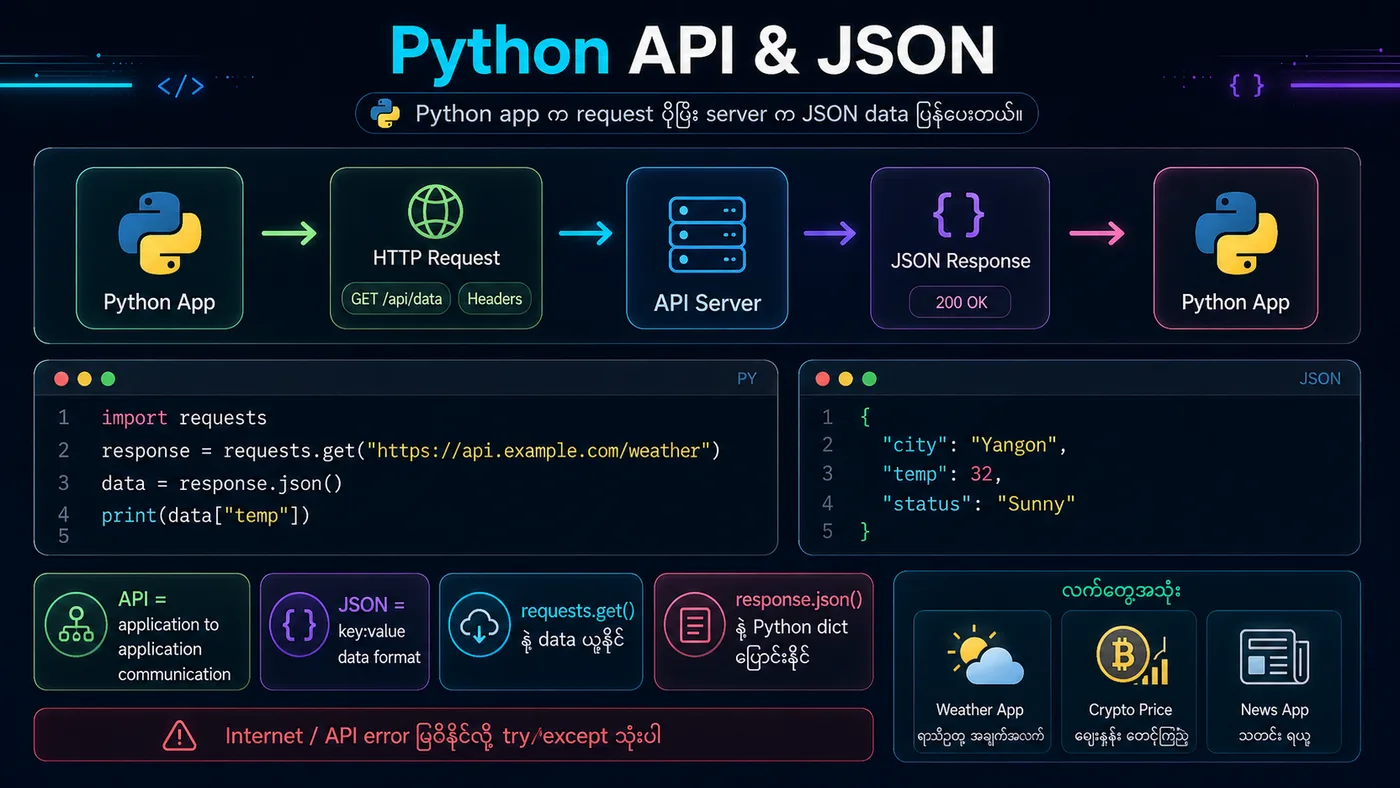
Pagination: စာမျက်နှာ အားလုံးကို ဖတ်ခြင်း
List endpoint တွေက data အားလုံးကို တစ်ခါတည်း မပြန်ဘဲ ?page=1&limit=20 လို စာမျက်နှာ ခွဲပေးလေ့ ရှိပါတယ်။ ပထမ စာမျက်နှာကိုပဲ ဖတ်ရင် data တစ်စိတ်တစ်ပိုင်း ပျောက်ပါတယ်။ အောက်က generator က စာမျက်နှာ တစ်ခုချင်း ယူပြီး limit ထက် နည်းတဲ့ စာမျက်နှာ ရောက်တာနဲ့ ရပ်ပါတယ်။ စုစုပေါင်းက limit ရဲ့ ဆတိုးကိန်း ဖြစ်နေရင် နောက်ဆုံးမှာ စာမျက်နှာ အလွတ် တစ်ခု ထပ်တောင်းရတာကို သတိပြုပါ။ API အချို့က page နံပါတ်အစား next cursor ဒါမှမဟုတ် Link header ကို ပြန်ပေးပြီး loop ပုံစံကတော့ အတူတူပါပဲ။
ALL_TODOS = [{"id": i} for i in range(1, 8)]


def fetch_page(page, limit):  # stands in for GET /todos?page=<page>&limit=<limit>
    start = (page - 1) * limit
    return ALL_TODOS[start:start + limit]


def iter_todos(fetch, limit=3):
    page = 1
    while True:
        batch = fetch(page, limit)
        yield from batch
        if len(batch) < limit:  # a short page means it was the last one
            break
        page += 1


print([todo["id"] for todo in iter_todos(fetch_page)])
လက်တွေ့ project တွေမှာ
Real project တွေမှာ ဘယ်လို သုံးလဲ
Payment, SMS, shipping, CRM လို service တွေနဲ့ ချိတ်တဲ့ project တိုင်းမှာ ဒီ client class ပုံစံကို တွေ့ရပါတယ်။ Provider ကိုယ်တိုင် ထုတ်ပေးတဲ့ official Python SDK တွေကလည်း အတွင်းပိုင်းမှာ ဒီလို Session တစ်ခု၊ request funnel တစ်ခု၊ error class တွေနဲ့ပဲ တည်ဆောက်ထားတာ များပါတယ်။ ကိုယ်ပိုင် client ရေးရင် API ရဲ့ HTTP error တွေကို PaymentDeclined, CityNotFound လို domain exception တွေအဖြစ် ပြောင်းပေးလို့ ကျန်တဲ့ code က HTTP အကြောင်း မသိဘဲ business logic ကိုပဲ ကိုင်တွယ်ရပါတယ်။
Team တွေက client ကို test လုပ်တဲ့အခါ example ထဲကလို fake session ကို ထိုးထည့်ပြီး 201, 204, 404, 409, 500 လို status တစ်ခုစီအတွက် client က မှန်မှန် တုံ့ပြန်လား စစ်ကြပါတယ်။ API ဒီဇိုင်းဘက်ကနေ ကြည့်ရင်လည်း todo CRUD API တစ်ခုအတွက် endpoint, status, error format, pagination ကို table တစ်ခုနဲ့ စာရွက်ပေါ် အရင်ရေးပြီး client နဲ့ server team နှစ်ဖက်လုံး သဘောတူမှ code ရေးတာက နောက်ပိုင်း အငြင်းပွားမှု နည်းစေပါတယ်။
အမှားများ
အဖြစ်များတဲ့ အမှားတွေ
1. Exception အားလုံးကို error dict အဖြစ် မျိုချတာ
except Exception: return {"error": str(e)} က 404, timeout, ကိုယ့် code ထဲက AttributeError အားလုံးကို အတူတူ ဖြစ်စေပြီး caller က dict ကို data လို ဆက်သုံးမိရင် နောက်ထပ် နေရာမှာ ထူးဆန်းတဲ့ error ပေါ်ပါတယ်။ ကိုင်တွယ်နိုင်တဲ့ status တွေကိုပဲ domain exception အဖြစ် ပြောင်းပြီး ကျန်တာကို ဆက်ပျံ့ခွင့်ပေးပါ။
2. 204 response ကို .json() ခေါ်တာ
DELETE အများစုက 204 No Content ပြန်ပြီး body လုံးဝ မပါလို့ .json() က JSONDecodeError ပစ်ပါတယ်။ resp.content ဒါမှမဟုတ် status_code == 204 ကို အရင် စစ်ပါ။
3. Status code အားလုံးကို 200/500 နှစ်မျိုးပဲ သုံးတာ
Server ဘက်က အောင်မြင်တိုင်း 200၊ ကျရှုံးတိုင်း 500 ပြန်ရင် client က "data မှားလို့ ပြင်ပြီး ပြန်ပို့ရမလား၊ ခဏစောင့်ပြီး retry လုပ်ရမလား" ကို ခွဲမသိနိုင်ပါဘူး၊ monitoring မှာလည်း client အမှားနဲ့ server ပျက်တာ ရောသွားပါတယ်။ 201, 204, 400, 404, 409 စတဲ့ တိကျတဲ့ code တွေကို သုံးပါ။
4. ပထမ စာမျက်နှာကိုပဲ ဖတ်တာ
Test data နည်းနည်းနဲ့ စမ်းတုန်းက အားလုံး စာမျက်နှာ တစ်ခုတည်းမှာ ဆံ့လို့ အဆင်ပြေပေမယ့် production မှာ ပထမ ၂၀ ခုပဲ ရပါတယ်။ List endpoint တိုင်းအတွက် pagination ကို documentation မှာ စစ်ပြီး loop နဲ့ ဖတ်ပါ။
Mini challenge
Mini challenge: Weather client
GET /current?city=...&key=... endpoint ကို ခေါ်တဲ့ WeatherClient ကို ရေးပါ။ Network မလိုအောင် .get() method ပါတဲ့ fake server ကိုလည်း ရေးပြီး client ထဲ ထိုးထည့်ပါ။
- Fake server က key မှားရင် 401၊ CITIES ထဲမှာ မရှိတဲ့ city ဆို 404၊ ရှိရင် 200 နဲ့ JSON ပြန်ရမယ် (requests.Response ကို သုံး)
- WeatherClient က session, base_url, api_key, timeout ကို constructor ကနေ လက်ခံရမယ်
- current(city) က 404 ဆိုရင် CityNotFound raise လုပ်ပြီး တခြား error status တွေကို raise_for_status() နဲ့ ပစ်ရမယ်
- အောင်မြင်ရင် city, temp_c, condition key သုံးခုပဲ ပါတဲ့ dict ပြန်ရမယ်
import json
from http import HTTPStatus

import requests

CITIES = {"yangon": {"temp_c": 32, "condition": "Sunny", "humidity": 65}}


class FakeWeatherServer:
    def get(self, url, params=None, timeout=None):
        # TODO: 401 for a wrong key, 404 for an unknown city, else 200 + data
        # TODO: return a requests.Response with status_code, reason and _content
        ...


class CityNotFound(Exception):
    pass


class WeatherClient:
    def __init__(self, session, base_url, api_key, timeout=5):
        ...  # TODO: store everything

    def current(self, city):
        # TODO: GET {base_url}/current with params city and key, plus a timeout
        # TODO: 404 -> CityNotFound(city); other errors -> raise_for_status()
        # TODO: return {"city": ..., "temp_c": ..., "condition": ...}
        ...


# TODO: print Yangon's weather, catch CityNotFound for "Mandalay",
#       and show the 401 that a client with a wrong key receives
ရလဒ်: Output သုံးကြောင်း: {'city': 'Yangon', 'temp_c': 32, 'condition': 'Sunny'} no data for Mandalay auth problem: 401 Unauthorized
အရိပ်အမြွက် ကြည့်ရန်
HTTPStatus(status).phrase က 404 အတွက် "Not Found" လို reason ကို ပေးပါတယ်။ City ကို .lower() နဲ့ ညှိပြီး CITIES ထဲ ရှာပါ။ CityNotFound ကို raise_for_status() မခေါ်ခင် စစ်ရပါမယ်၊ မဟုတ်ရင် HTTPError က အရင်ထွက်ပါမယ်။
အဖြေ ကြည့်ရန်
import json
from http import HTTPStatus

import requests

CITIES = {"yangon": {"temp_c": 32, "condition": "Sunny", "humidity": 65}}


class FakeWeatherServer:
    def get(self, url, params=None, timeout=None):
        if params.get("key") != "demo-key":
            status, data = 401, {"error": "invalid key"}
        elif params["city"].lower() in CITIES:
            status, data = 200, CITIES[params["city"].lower()]
        else:
            status, data = 404, {"error": "unknown city"}
        resp = requests.Response()
        resp.status_code, resp.reason = status, HTTPStatus(status).phrase
        resp._content = json.dumps(data).encode()
        return resp


class CityNotFound(Exception):
    pass


class WeatherClient:
    def __init__(self, session, base_url, api_key, timeout=5):
        self.session, self.base_url = session, base_url
        self.api_key, self.timeout = api_key, timeout

    def current(self, city):
        resp = self.session.get(f"{self.base_url}/current",
                                params={"city": city, "key": self.api_key},
                                timeout=self.timeout)
        if resp.status_code == 404:
            raise CityNotFound(city)
        resp.raise_for_status()
        data = resp.json()
        return {"city": city, "temp_c": data["temp_c"], "condition": data["condition"]}


server = FakeWeatherServer()
client = WeatherClient(server, "https://weather.example.com/v1", "demo-key")
print(client.current("Yangon"))
try:
    client.current("Mandalay")
except CityNotFound as e:
    print("no data for", e)
try:
    WeatherClient(server, "https://weather.example.com/v1", "wrong").current("Yangon")
except requests.exceptions.HTTPError as e:
    print("auth problem:", e.response.status_code, e.response.reason)
Quick Quiz 1 / 3
Quick Quiz 2 / 3
Quick Quiz 3 / 3
မှတ်ထားရမယ့် အချက်များ
- REST မှာ URL က resource (နာမ်)၊ HTTP method က လုပ်ဆောင်ချက် (ကြိယာ)၊ status code က ရလဒ် ဖြစ်ပါတယ်။
- 201 Created, 204 No Content, 400, 401, 403, 404, 409 တို့ရဲ့ အဓိပ္ပာယ်ကို ခွဲခြားပြီး သုံးပါ။
- Base URL, auth, timeout, status စစ်တာကို client class ရဲ့ _call() တစ်ခုတည်းထဲ စုထားပါ။
- Session ကို inject လုပ်ပြီး fake နဲ့ test လုပ်ပါ၊ list endpoint တွေကို pagination loop နဲ့ ဖတ်ပါ။
Requests — User Guide — Requests