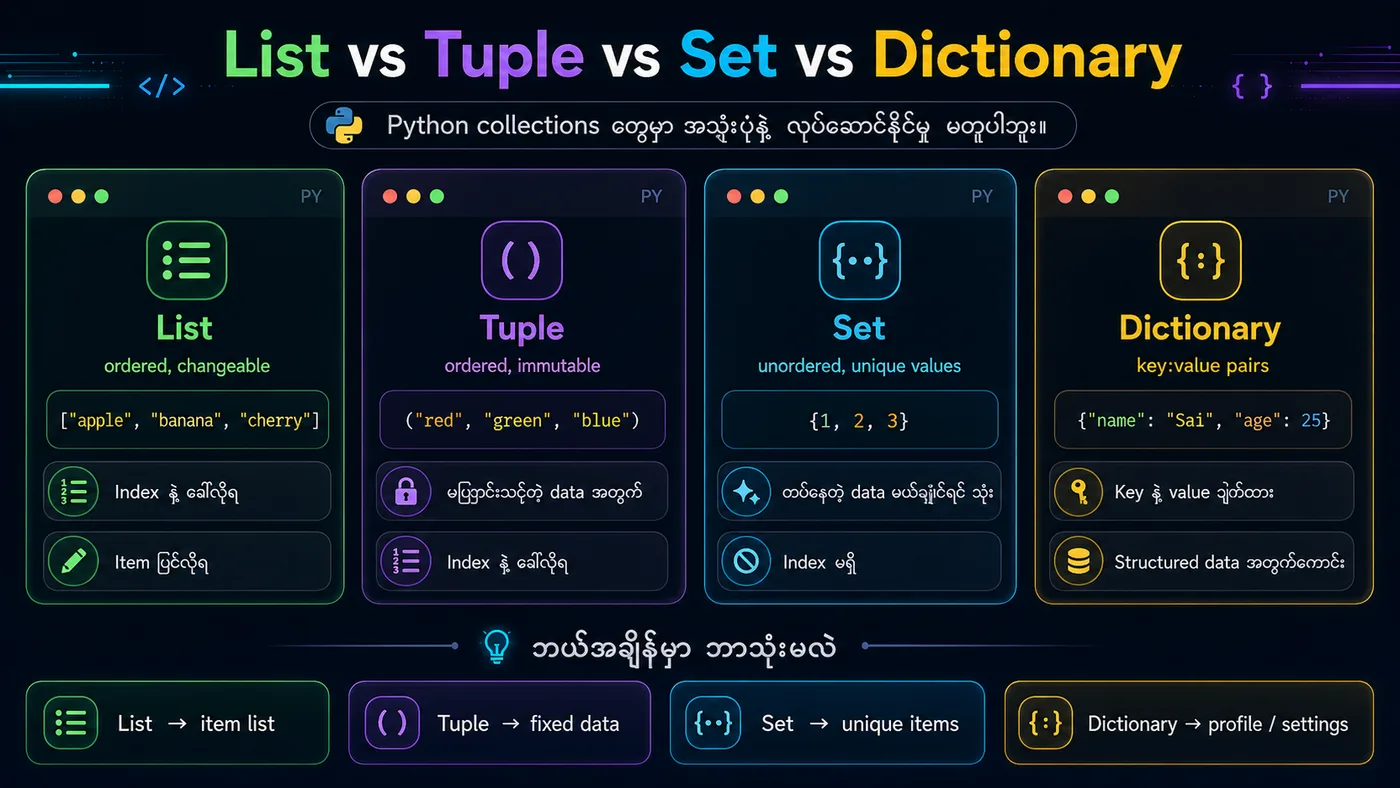
🐍 Lesson 15: Python Dictionaries (Python အဘိဓါန်)
1. Dictionary ဆိုတာဘာလဲ?
မြန်မာ → Dictionary ဆိုတာ Data ကို key:value pairs အနေနဲ့ သိမ်းထားတဲ့ Collection ဖြစ်ပြီး ordered (Python 3.7+) and changeable (ပြောင်းလဲနိုင်) တယ်။
English → A dictionary is a collection of key-value pairs that is ordered and changeable.
2. Dictionary Methods (အသုံးများတဲ့ Methods)
get()→ key နဲ့ value ရယူkeys()→ key အားလုံးvalues()→ value အားလုံးitems()→ key-value pairs အားလုံး
3. အကျဉ်းချုပ်
✅ Dictionary = key:value pairs
✅ Keys သည် unique ဖြစ်ရမယ်
✅ keys(), values(), items() နဲ့ ဒေတာ ရနိုင်
✅ get(), pop(), update() နဲ့ စီမံနိုင်
python
# ===== 1. Create a Dictionary =====
person = {
    "name": "Kyaw Kyaw",
    "age": 30,
    "city": "Yangon"
}
print(f"Dictionary: {person}")
print(f"Type: {type(person)}")

# ===== 2. Access Items =====
print(f"\n===== Accessing =====")
print(f"Name: {person['name']}")
print(f"Age (using get): {person.get('age')}")

# ===== 3. Modify Dictionary =====
print(f"\n===== Modifying =====")
person["age"] = 32  # Update value
print(f"Updated age: {person}")

person["email"] = "kyaw@example.com"  # Add new key-value
print(f"Added email: {person}")

# ===== 4. Remove Items =====
del person["city"]
print(f"After delete 'city': {person}")

# ===== 5. Dictionary Methods =====
print(f"\n===== Methods =====")
print(f"Keys: {list(person.keys())}")
print(f"Values: {list(person.values())}")
print(f"Items: {list(person.items())}")

# ===== 6. Loop Through Dictionary =====
print(f"\n===== Looping =====")
for key in person:
    print(f"{key}: {person[key]}")

# ===== 7. Length =====
print(f"\nLength: {len(person)}")
You should see
Dictionary: {'name': 'Kyaw Kyaw', 'age': 30, 'city': 'Yangon'} Type: ===== Accessing ===== Name: Kyaw Kyaw Age (using get): 30 ===== Modifying ===== Updated age: {'name': 'Kyaw Kyaw', 'age': 32, 'city': 'Yangon'} Added email: {'name': 'Kyaw Kyaw', 'age': 32, 'city': 'Yangon', 'email': 'kyaw@example.com'} After delete 'city': {'name': 'Kyaw Kyaw', 'age': 32, 'email': 'kyaw@example.com'} ===== Methods ===== Keys: ['name', 'age', 'email'] Values: ['Kyaw Kyaw', 32, 'kyaw@example.com'] Items: [('name', 'Kyaw Kyaw'), ('age', 32), ('email', 'kyaw@example.com')] ===== Looping ===== name: Kyaw Kyaw age: 32 email: kyaw@example.com Length: 3