🐍 Lesson 3: Python Syntax
1. What is syntax?
Short answer → Syntax refers to the set of rules for writing Python code.
In other words → Syntax is the set of rules that defines how Python code must be written.
2. Indentation (using spaces/tabs)
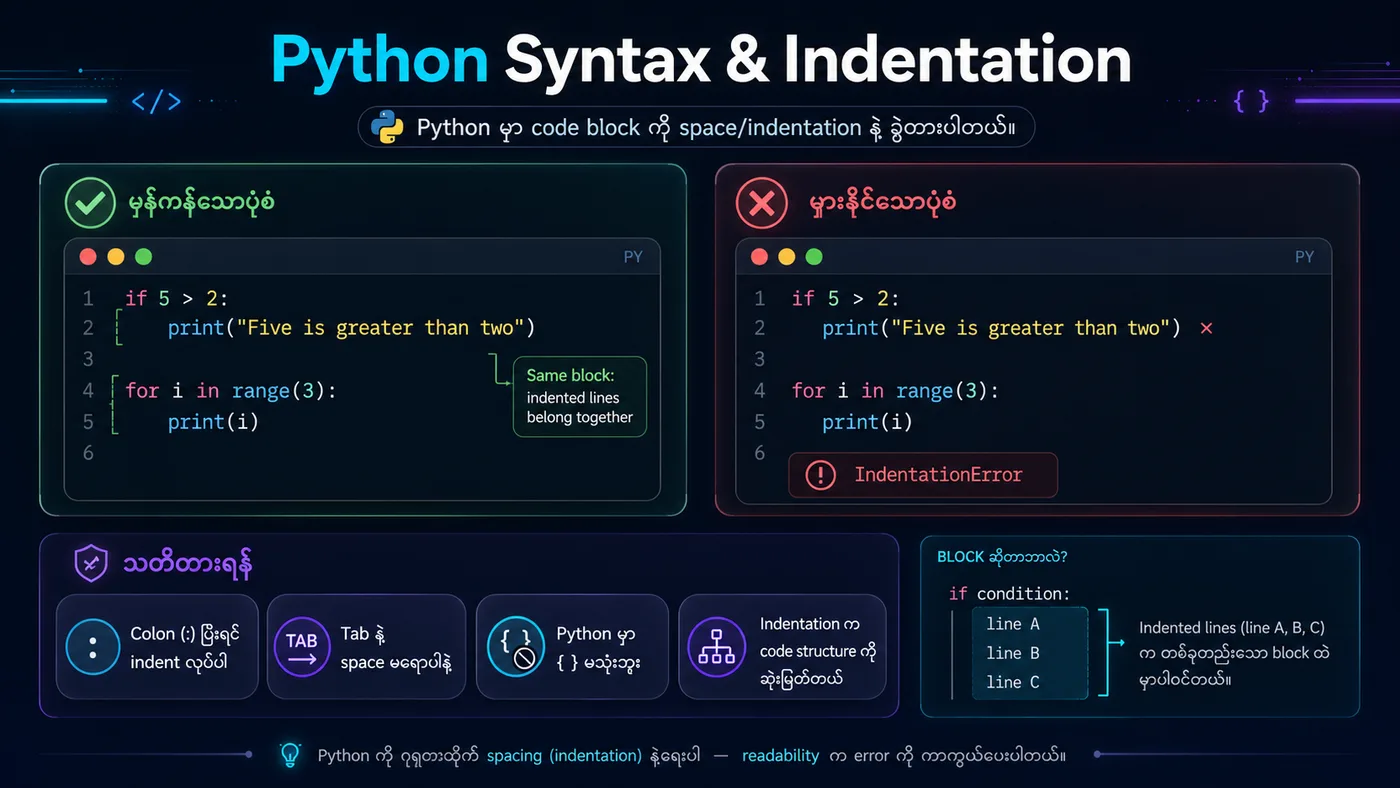
Instead of using {}, Python uses space/tab indentation to define a block.
⚠️ Get the indentation wrong and you'll hit an IndentationError.
3. Key Python Syntax Rules
| Rule | ရှင်းလင်းချက် |
|---|---|
| Case-sensitive | Variable နာမည်တွေမှာ အကြီး/အသေး ခွဲထားတယ် (name ≠ Name) |
| Indentation | Code block တွေကို space/tab နဲ့ ခွဲတယ် |
| Line Continuation | \ သုံးပြီး ကြောင်းဆက်ရေးနိုင်တယ် |
| Comments | # နဲ့ စတဲ့ စာကြောင်း → Python မဖတ်ဘဲ မှတ်ချက်အနေနဲ့ထားတယ် |
4. Summary
✅ Python syntax = indentation matters
✅ It's case-sensitive
✅ Write one statement per line
✅ Write comments with #
python
# ===== 1. မှန်ကန်သော Indentation =====
if 5 > 2:
    print("Five is greater than two!")  # ✅ Correct

# ===== 2. Case-sensitive Example =====
name = "Sai"
Name = "Aye"
print(name)  # Sai
print(Name)  # Aye

# ===== 3. Line Continuation =====
total = 1 + 2 + 3 + \
        4 + 5 + 6
print(f"Total: {total}")

# ===== 4. Multiple statements in one line =====
x = 5; y = 10; print(f"x + y = {x + y}")
You should see
Five is greater than two! Sai Aye Total: 21 x + y = 15