Retrieval-Augmented Generation က ကိုယ့် document များထဲမှ ဆိုင်ရာအချက်ရှာပြီး LLM အဖြေကို ဘယ်လို ground လုပ်ပေးသလဲ လေ့လာမည်။
ခဏလေး ဒီလိုပဲ စဉ်းစားကြည့်
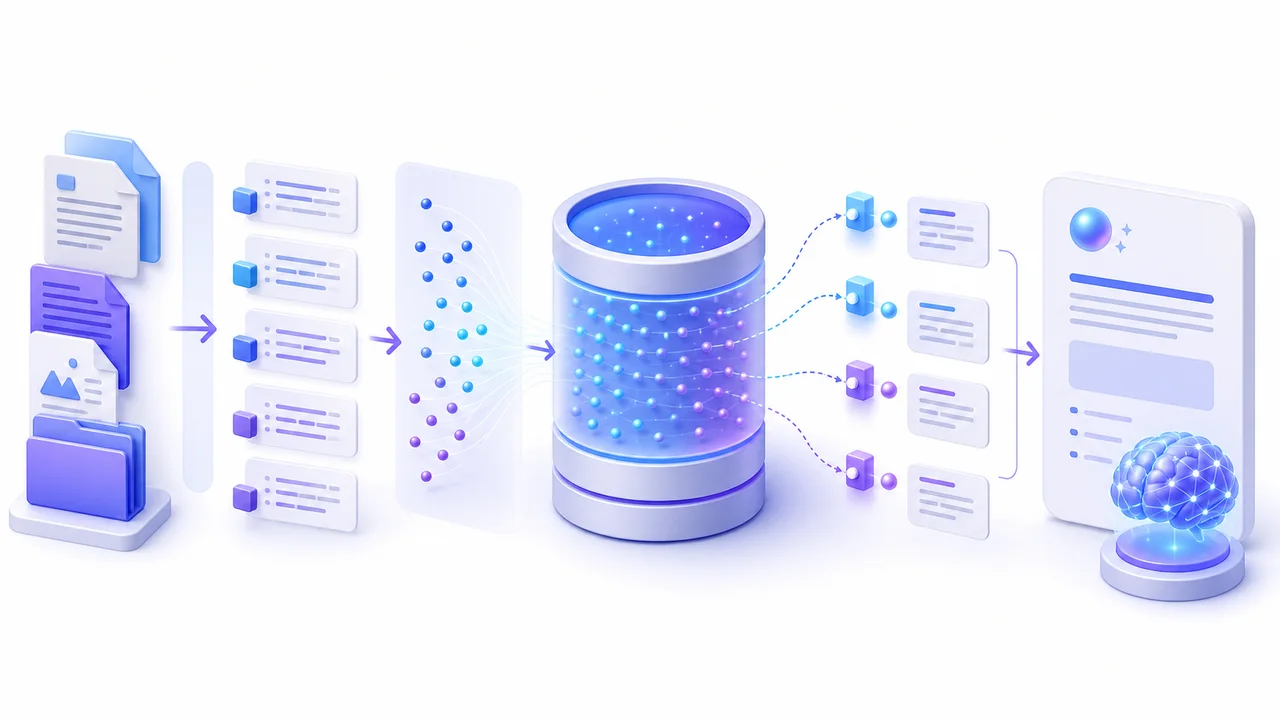
RAG မှာ user မေးခွန်းနဲ့ဆိုင်တဲ့ document အပိုင်းများကို အရင်ရှာပြီး၊ တွေ့တဲ့ context ကို prompt ထဲထည့်ကာ model ကိုဖြေခိုင်းပါတယ်။ Model ကိုပြန်လေ့ကျင့်ခြင်းမဟုတ်ဘဲ ဖြေချိန်မှာလိုအပ်တဲ့အချက်ပေးခြင်း ဖြစ်ပါတယ်။
နေ့စဉ်ဘဝနဲ့ ချိတ်ကြည့်မယ်
Company policy၊ product docs နဲ့ knowledge base Q&A လို source အခြေပြုအဖြေမှာ RAG အသုံးဝင်ပါတယ်။ Retrieval မကောင်းရင် generation လည်းမကောင်းပါဘူး။ Answer quality တစ်ခုတည်းမစစ်ဘဲ retrieved chunks ကိုပါ စစ်ရပါတယ်။
အတူတူ လက်တွေ့စမ်းမယ်
Documents → Chunk → Embed → Vector store
                                  ↑
Question → Embed → Search ────────┘
                    ↓
Context + Question → LLM → AnswerRAG pipeline ကို အဆင့်လိုက်ရှင်းပြနိုင်မည်။၅ မိနစ် စမ်းကြည့်
FAQ document ငါးခုအတွက် RAG flow ကိုဆွဲပါ။ Retrieval မတွေ့သည့်အခါ “အချက်အလက်မတွေ့ပါ” ပြန်မည့် rule ထည့်ပါ။
သတိလေးတစ်ချက်
AI output ကို အပြီးသတ်အမှန်လို့မယူပါနှင့်။ အရေးကြီးတဲ့အချက်၊ code နဲ့ user data ကို လူကပြန်စစ်ပြီးမှ အသုံးပြုပါ။
OpenAI — Retrieval — OpenAI