Hardware ကို ကိုယ်တိုင် စတင် စမ်းသပ်လိုသူများ 'Raspberry Pi ကနေ စလား၊ Full PC Build လုပ်လား' ဆိုတာ များများ မေးလေ့ရှိပါတယ်။ နှစ်ခုစလုံးက 'ကိုယ်တိုင် တည်ဆောက်ရတဲ့ hardware project' ဖြစ်ပေမယ့် ရည်ရွယ်ချက်နဲ့ scale အရ လုံးဝ မတူပါဘူး။
Raspberry Pi က credit card size single-board computer ဖြစ်ပြီး PC Build ကတော့ CPU, GPU, RAM, storage စတဲ့ component သီးခြားစီကို ရွေးချယ် ပေါင်းစပ်တည်ဆောက်တဲ့ full-size desktop ဖြစ်ပါတယ်။
Raspberry Pi ဘာအတွက် သင့်တော်သလဲ
Raspberry Pi က low power (charger သေးသေးလေးနဲ့ run နိုင်), GPIO pin တွေပါလာလို့ sensor, LED, motor တွေကို တိုက်ရိုက် ချိတ်ဆက် control လုပ်နိုင်ပါတယ်။ Home automation, retro gaming console, media server, IoT project, embedded programming သင်ယူဖို့ perfect ပါ။
စျေးနှုန်း သက်သာပြီး (Pi board တစ်ခုတည်း US$15-80 ခန့်) failure ဖြစ်ရင်တောင် ပြန်ဝယ်ရတာ ပေါ့ပါတယ်။ Full desktop-grade computing power တော့ မမျှော်လင့်သင့်ပါဘူး — video editing, modern game, heavy compilation တွေအတွက် နှေးပါတယ်။
Full PC Build ဘာအတွက် ပိုသင့်တော်လဲ
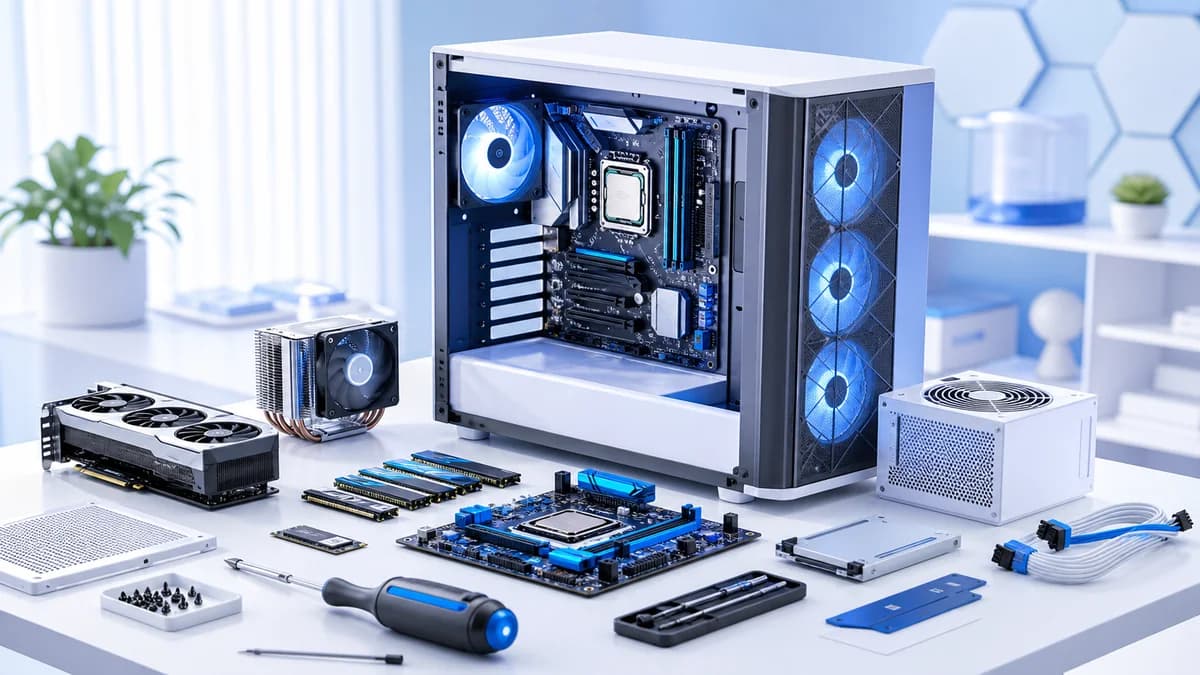
PC Build ကတော့ CPU, GPU, motherboard, RAM, storage, PSU, case တစ်ခုချင်းစီကို ကိုယ်တိုင် ရွေးချယ် တပ်ဆင်ရပါတယ်။ Gaming, video editing, 3D rendering, heavy software development, virtual machine များစွာ run ချင်တာလို performance-hungry task တွေအတွက် Raspberry Pi နဲ့ နှိုင်းယှဉ်လို့ မရလောက်အောင် စွမ်းအားပိုများပါတယ်။
Component တစ်ခုချင်းစီကို လိုအပ်သလို upgrade လုပ်နိုင်တာက PC Build ရဲ့ အားသာချက်တစ်ခုပါ — GPU အားနည်းနေရင် GPU တစ်ခုတည်း လဲလို့ရပါတယ်၊ Raspberry Pi မှာတော့ board တစ်ခုလုံး ပြောင်းရပါတယ်။
| အချက် | Raspberry Pi | Full PC Build |
|---|---|---|
| စျေးနှုန်း | US$15-80 (board) | US$400+ (component အားလုံး) |
| လျှပ်စစ်သုံးစွဲမှု | 5-15W ခန့် | 150-500W+ (GPU အပေါ်မူတည်) |
| Performance | Basic task, embedded programming | Gaming, editing, heavy compute |
| Upgrade လုပ်နိုင်မှု | မရ (board အသစ်ပြောင်းရ) | Component တစ်ခုချင်း upgrade လုပ်နိုင် |
| GPIO/Hardware control | ပါ (built-in) | ပုံမှန် မပါ (add-on card လိုအပ်) |
ဘယ်ကို စသင့်လဲ
Hardware/electronics ကို လက်တွေ့ ချိတ်ဆက်ကြည့်ချင်တာ၊ Linux command line ကို ပထမဆုံးအကြိမ် စမ်းချင်တာ၊ budget အကန့်အသတ်ရှိတာဆိုရင် Raspberry Pi ကနေ စတင်ပါ — risk အနည်းဆုံးနဲ့ hands-on learning ရနိုင်ပါတယ်။
Gaming ဒါမှမဟုတ် heavy software work အတွက် daily driver machine တစ်ခု လိုအပ်နေတာဆိုရင် Full PC Build ကို တိုက်ရိုက် စတင်ပါ — Raspberry Pi ကနေ 'အဆင့်တက်' ဖို့ ကြားခံစက်တစ်ခု မလိုအပ်ပါဘူး၊ ရည်ရွယ်ချက်က မတူလို့ပါ။
နှစ်ခုလုံး ပိုင်ဆိုင်နိုင်ပါတယ်
ဒါက 'တစ်ခုတည်း ရွေးရမယ့်' ဆုံးဖြတ်ချက် မဟုတ်ပါဘူး — Raspberry Pi ကို home server/IoT project အတွက်၊ Full PC ကို daily work/gaming အတွက် သီးခြားစီ ရည်ရွယ်ချက်ချင်း မတူဘဲ တွဲသုံးတဲ့ hobbyist တော်တော်များများ ရှိပါတယ်။
အနှစ်ချုပ်
Raspberry Pi နဲ့ Full PC Build က competitor မဟုတ်ပါဘူး — ရည်ရွယ်ချက် မတူတဲ့ hardware project နှစ်မျိုးပါ။ Low-power, GPIO-driven, budget-friendly embedded project အတွက် Raspberry Pi ကို၊ high-performance daily computing, gaming, heavy workload အတွက် Full PC Build ကို ရွေးချယ်ပြီး လိုအပ်ရင် နှစ်ခုလုံး ပိုင်ဆိုင် သုံးနိုင်ပါတယ်။